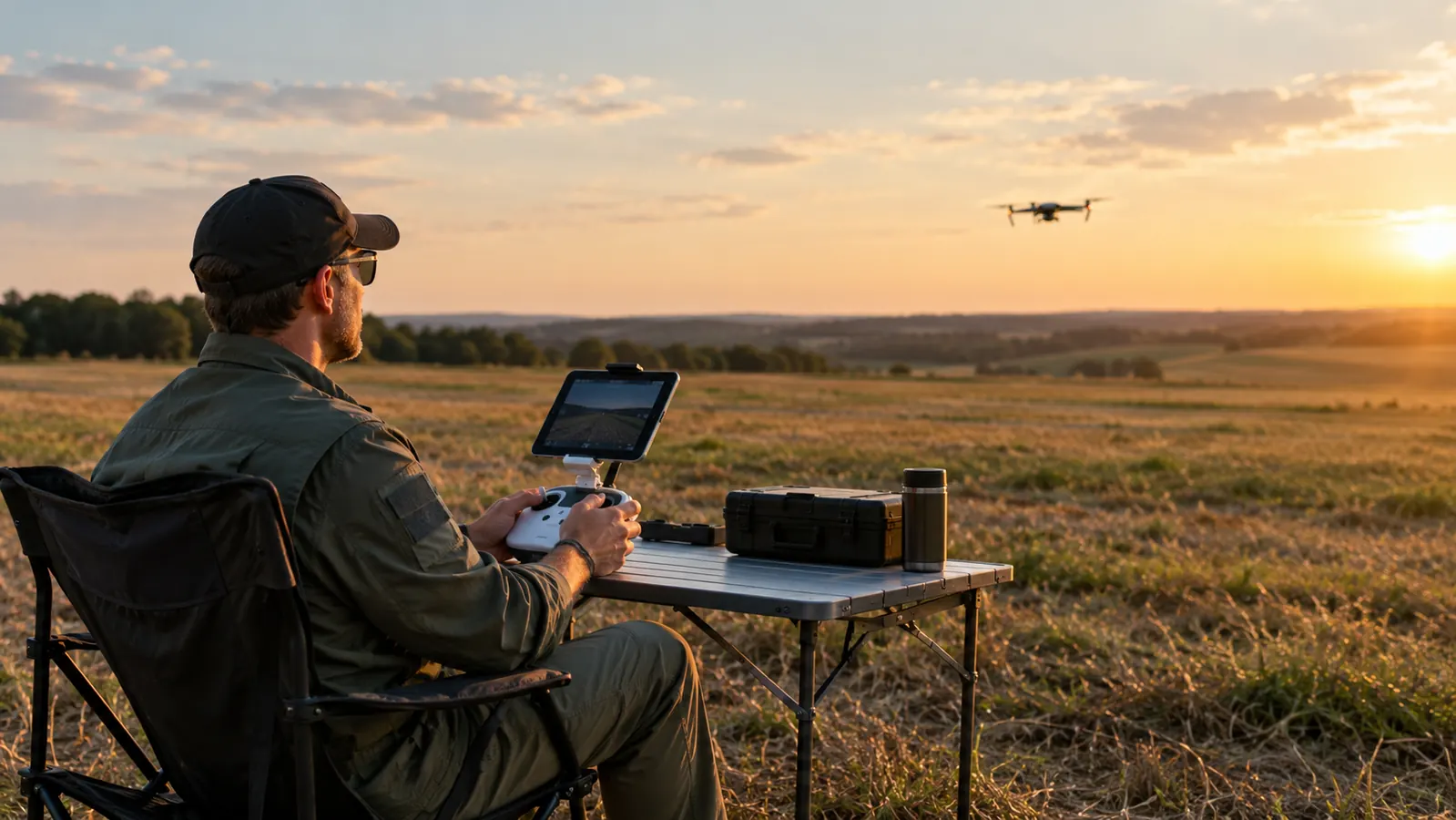
I spent my first year with the Mini 4 Pro flying with my phone in the built-in clip on the RC-N2 controller. It worked fine for a quick flight over the hay field behind the farm, or for checking the fence line after a storm. But when I started shooting the Palouse hills in the fall, I got tired of leaning in to see a five-inch screen while the sun bounced off it. The phone also made the controller nose-heavy. After twenty minutes my wrists let me know about it, and I would end up flying shorter batteries than I wanted just to give my arms a break. The phone worked, but it was working against me.
About a year ago I picked up the Hanatora tablet holder mount for the RC-N2. It holds a tablet from 4.7 to 13 inches, which covers the iPad mini I fly with now. The mount clamps to the controller where the phone clip normally sits, the arms slide out to grip the tablet, and a lanyard takes the weight off your hands. I put it on one evening, made a few mistakes, fixed them, and have flown with it every weekend since. This is the setup, step by step, so you can skip the part where you drop a tablet on your kitchen floor.
Mount a tablet on your RC-N2 in about ten minutes
The Hanatora holder bolts to the controller in minutes, holds an iPad mini with room to spare, and comes with a lanyard that keeps the whole rig balanced. No tools beyond the ones in the box.
Amazon Check Today's Price on Amazon →Step 1: Take the phone clip off and test the fit
The RC-N2 has a built-in phone clip that folds out from the top. You do not have to remove it permanently, but you do need to fold it flat or take it off, depending on how the Hanatora bracket sits. On my controller, the bracket slides over the mount point and the clamp tightens down with a thumbscrew. The phone clip stays folded underneath and out of the way. If your controller is the RC-N1 or one of the other models the holder lists, the mounting point is the same, but check the fit before you trust it. The whole thing takes longer to explain than to do.
Before you tighten anything, hold the bracket in place and check that the clamp jaws seat fully. The Hanatora is made for the RC-N2, the RC-N1, and a few other controllers, so the fit should be snug. If it rocks at all, loosen the thumbscrew, reseat it, and tighten again. A loose bracket will wobble in flight and you will chase it the whole battery. I learned this the hard way on the first flight. The tablet vibrated just enough to blur the edges of the screen, and I landed early to fix it. Once it is tight, the bracket does not move.
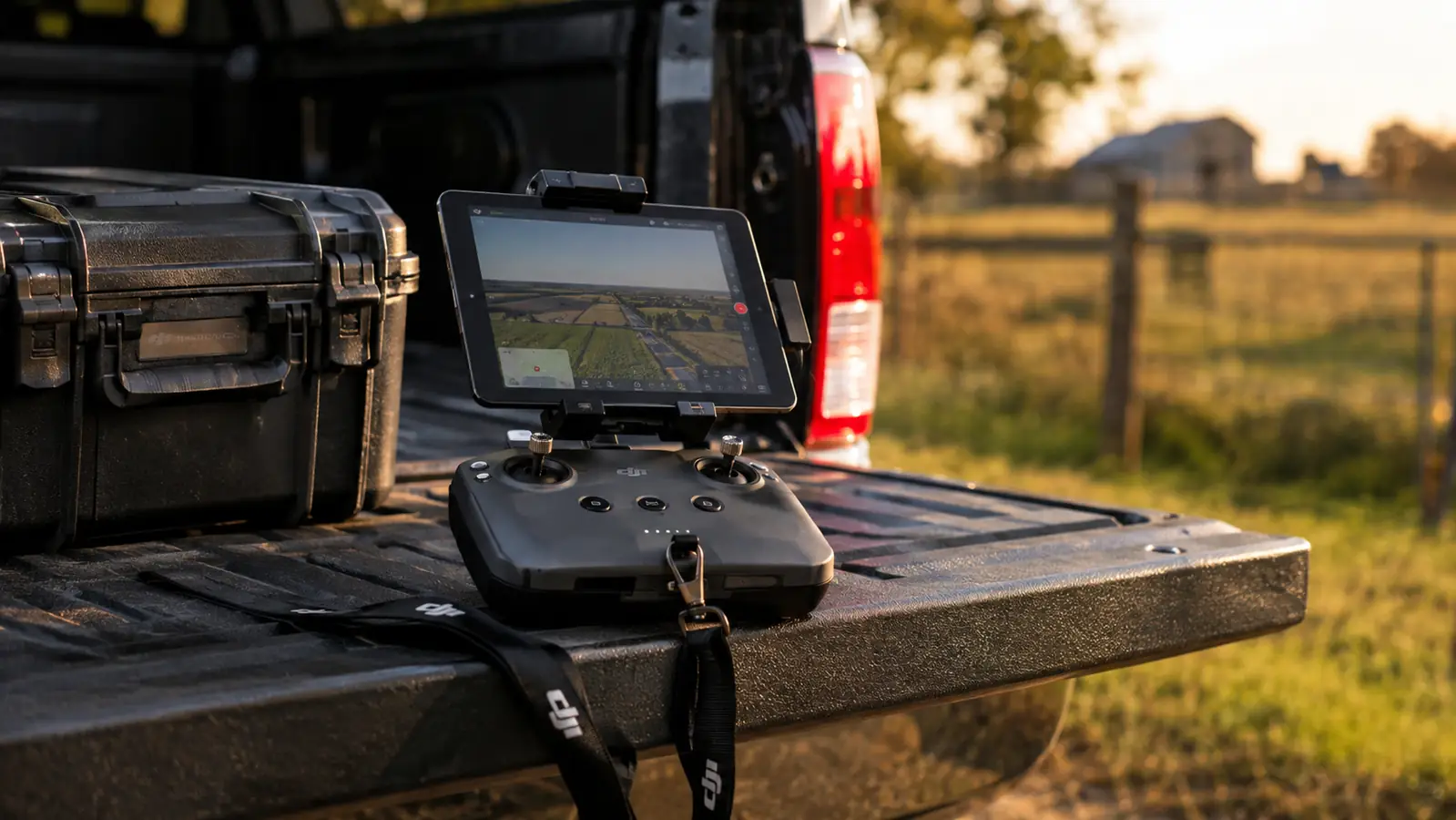
Set the controller on a table when you do this the first time. It is easier to see what you are doing, and you will not drop the tablet. A folding table in the shade works. The truck tailgate works. Any flat surface that is not the hood of your truck in direct sun, because the screen will be unreadable before you even get the drone in the air.
Step 2: Slide the arms out to the width of your tablet
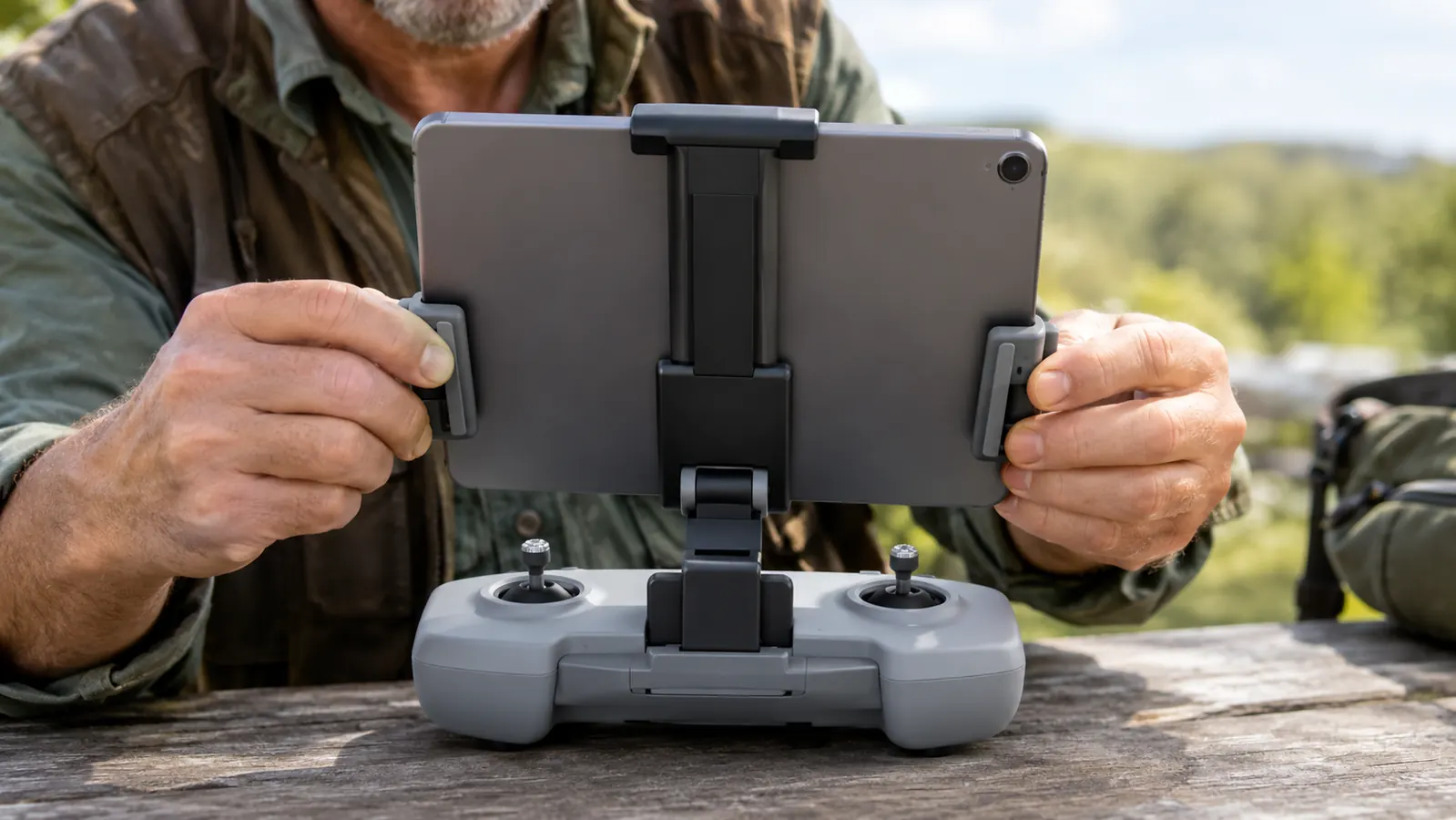
The two arms that hold the tablet slide in and out. With the iPad mini, I set them so the tablet sits centered over the controller. The arms have grippy pads that hold the tablet without scratching the frame. Do not crank them down hard. Snug is enough. If you overtighten, you will flex the tablet and you can see the distortion in the screen, which makes the image look soft even when the focus is perfect. Back the arms off until the tablet stays put and the screen stays flat. You want the tablet to feel solid, not squeezed.
Center the tablet left to right before you lock the arms. If it sits off to one side, the controller will want to rotate in your hands and you will constantly correct it. The whole point of the holder is to keep the controller balanced, so take the ten seconds to center it. I run a strip of tape on the back of my iPad at the center line to make this faster. It sounds fussy, but it saves me a minute every time I mount it. Tape is cheap and it comes off clean.
Most tablets in the 8 to 11 inch range fit without any fuss. The holder is rated for 4.7 to 13 inches, so even a full-size iPad fits, though I would not want to hold that much weight for a long session. The iPad mini is the sweet spot. Big enough to see the whole frame, light enough that the lanyard does most of the work.
Step 3: Balance the weight and lock the angle
Here is the part that took me a few flights to get right. A tablet is heavier than a phone, and it sits higher. If the bracket has a tilt joint, set the angle so the screen faces you without making you hunch. I run mine nearly vertical, tilted back just a couple of degrees, so I can see the whole frame without moving my head. If the tablet is angled too far back, it catches the sky and you lose the bottom of the screen to glare. A couple of degrees is all it takes.
The controller has a natural balance point. With the iPad mini on the Hanatora, the rig balances on my palms with the sticks right under my thumbs. If your setup tips forward, slide the tablet back an inch or two before you tighten the arms. If it tips back, slide it forward. Small adjustments change the feel a lot. I keep the tablet slightly closer to the controller than you would think looks right, because that puts the weight over my hands instead of out in front of them. You will find your own balance point after a flight or two.
Tighten the tilt lock with the thumbscrew, then give the tablet a gentle push to make sure it holds. You do not want it dropping an inch in the middle of a flight while you are trying to hold a steady shot over a lake. The good news is that the Hanatora has held my iPad at the same angle for about a year now. I check it before every flight, and I have only had to retighten it once.
Step 4: Run the lanyard and take the weight off
The Hanatora comes with a lanyard that clips to the bracket. This is the part I almost skipped, and skipping it was a mistake. With the iPad mini, the controller plus tablet weighs enough that your arms start to complain after fifteen minutes. The lanyard puts the weight on your neck and shoulders instead. The first time I flew with it, I did a full forty minute session and my arms felt fine at the end. That sold me on the whole setup. Now I do not fly with a tablet without it.
Clip the lanyard to the loops on the bracket, adjust the length so the controller hangs at chest height, and then hold the controller normally. The lanyard should be doing the work of holding the weight, not your grip. Your thumbs stay free for the sticks and your other fingers can rest. If the lanyard is too long, the controller hangs too low and you end up hunching. If it is too short, it pulls the controller up toward your chin. Chest height is the setting. You should be able to relax your arms completely.
One warning. If you are flying in wind, and we get plenty of it east of Spokane, keep one hand on the controller at all times. The lanyard stops it from hitting the ground if you let go, but a gust can swing the whole rig into your chest. Keep a grip on it. The lanyard is there to take the weight, not to replace your hands.
Step 5: Tame the glare and route the cable
The iPad mini screen is big enough to frame a shot, but it is also big enough to catch the sun. I fly with the screen brightness up and I still end up tilting the controller to cut the glare. If you fly a lot in bright conditions, a small sunshade that clips around the tablet helps. I do not use one because I mostly fly in the late afternoon, but I know guys who swear by them. On a bright summer day over the wheat fields, you will want something between the screen and the sun. A hat with a brim helps too, if the sun is low.
If you are using a cable to connect the tablet to the controller, route it so it does not drape over the sticks. The RC-N2 connects to a phone or tablet over the wireless link, so I do not run a cable at all. That keeps the setup clean. If your tablet is older and you need a cable, tuck it under the bracket arm so it stays out of the way. A cable that hangs over the sticks will catch your thumb at the worst possible moment. Wireless is one less thing to snag on a branch.
The Hanatora also comes with an extended phone clip. I keep it in the case as a spare in case I forget the iPad. It takes about a minute to swap the tablet arms for the phone clip, which is handy when you only want to grab a quick shot and do not want to carry the big screen. The phone clip is longer than the stock one, so it holds a phone with a thick case, which the built-in clip on the RC-N2 sometimes struggles with. I have used it twice this year and it worked both times.
What Else Helps
A few things that made the whole setup easier once the holder was on. I fly with the controller antennas pointed up and away from the tablet, because a large screen can block the signal if you let it sit between the antennas and the drone. The RC-N2 has good range, but a tablet is a big piece of metal and glass sitting right in the path. Keep the antennas clear of it. It takes one flight to get used to the new setup.
I also set the tablet to stay awake while the DJI app is open, so the screen does not go dark mid-flight. On the iPad this is a setting in the display options. It sounds small, but a screen that goes dark while you are three hundred feet up and lining up a shot will cost you the shot. I learned that on a cold morning when the tablet dimmed itself just as I was about to hit record. A screen that stays on is a screen you can trust.
And I keep the holder in the hard case with the drone, so it is always with the kit. The Hanatora bracket folds down flat enough that it rides in the case without forcing the lid. That matters more than it sounds. If the holder is in a drawer at home, you will fly with the phone clip and wonder why you ever bought it. Keep it with the drone. The case carries the drone, the batteries, the filters, and the holder.
The lanyard is the part I almost skipped, and skipping it was a mistake. With the tablet on the controller, your arms start to complain after fifteen minutes.
Ten minutes of setup, a year of easier flying
The Hanatora tablet holder fits the RC-N2 in about ten minutes, holds an iPad mini without wobble, and the lanyard keeps the weight off your hands. It has been on my controller for about a year and it has not loosened up.
Amazon Check Today's Price on Amazon →